
Release Notes 3.12
Released on
We’re excited to announce the latest updates to our Cultivation- and Manufacturing Management Software.
Updates and New Features
Product Pass on the Delivery Note
Sharing data and documents on your manufactured batches has just become a whole lot easier. In the QR Code scheme settings, toggle on “Show on delivery note” to automatically show the Product Pass QR code and the link to the landing page on the delivery note.
Your customer will have an easy time to get all required documents and information directly without the need to send e-mails.
Not subscribed to the Product Pass Feature? Contact our sales team to make use of this feature.
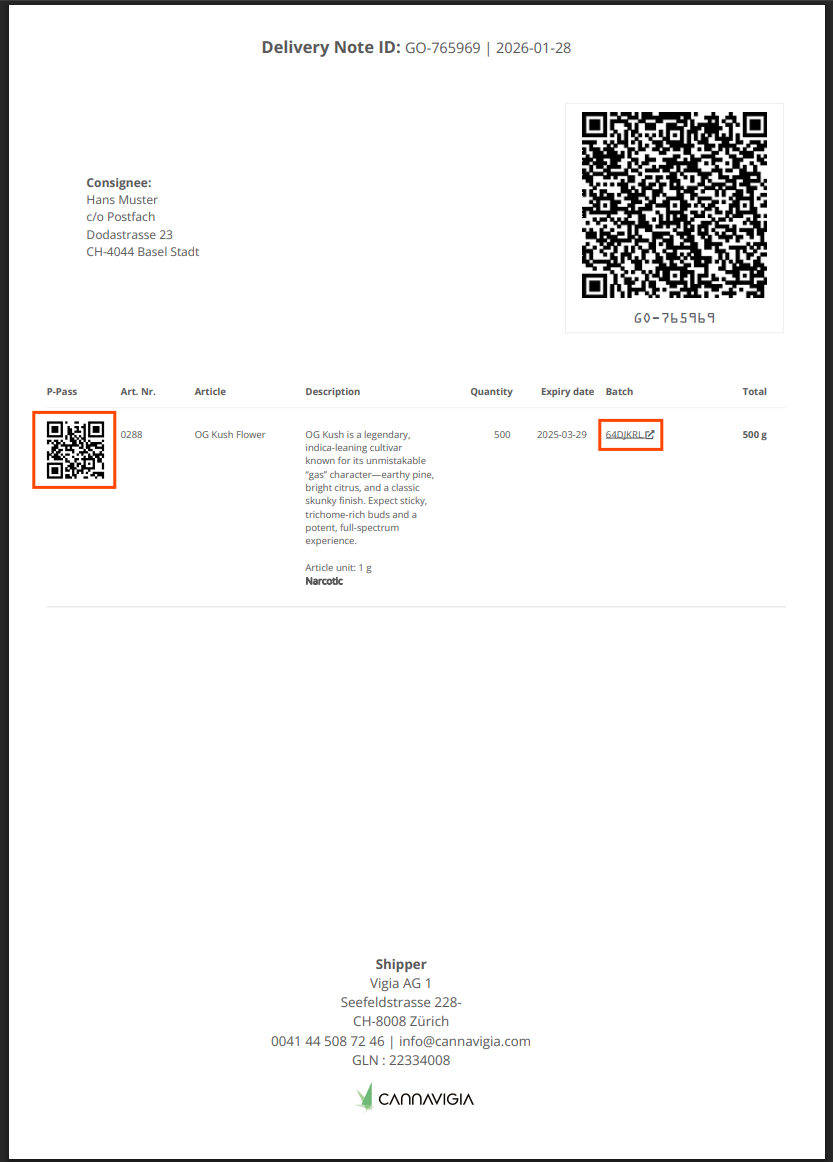
Direct Link to Landing Page or QR Code Scan
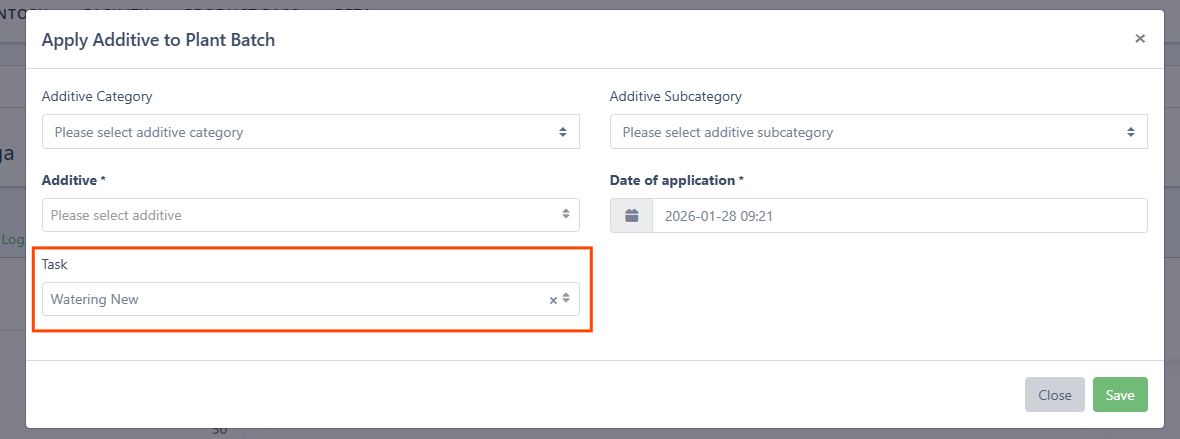
Task selection for Additive Applications
Document which task is followed to apply additives by simply choosing the task when applying additives.
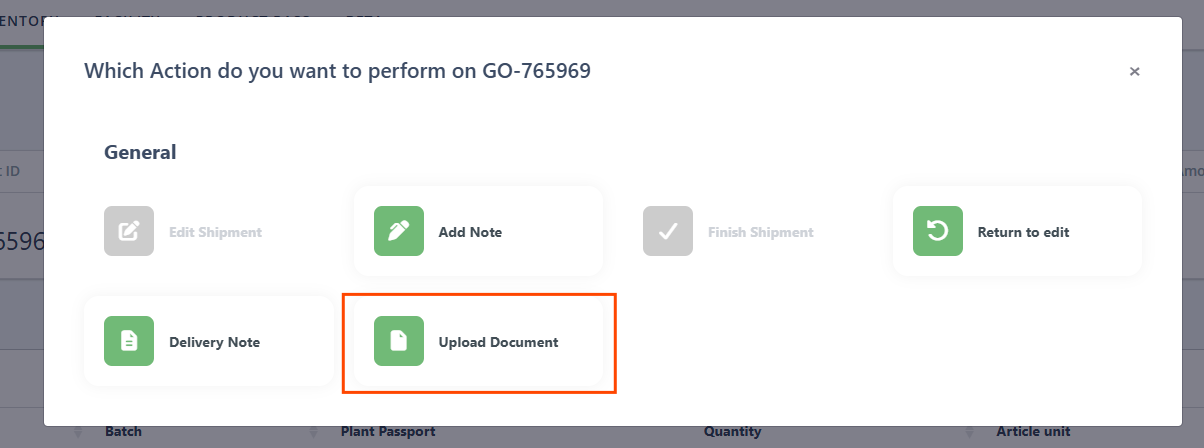
Upload Documents to Goods Out
You can now upload and attach documents directly to Shipments (Goods Out). Add packing lists, invoices, BOL/POD, and other files to keep everything in one place, improve traceability, and make handoffs and audits faster.
General
Updated Labels to ensure field selection is accurately displayed
Added Liter as a Unit of Measurement to Tasks
Updated additive calculations to ensure correct stock levels
Area Image scaling
Unit Selection for Manual Stock Adjustments on Article Batches
Updated date format across the traceability table
Bug Fixes
Fixed an issue where production material would still show up after removal
Fixed an issue where creating an empty plant batch could cause an error
Fixed issues with stock calculations
Fixed an issue with merged harvest batches